
What Most KDP Keyword Research Guides Don’t Tell You
I’ve studied a number of KDP keyword strategies, and most of them agree on the basics: use relevant phrases, think like your reader, avoid wasting keyword space, and research the language people actually use when searching for books.
All of that is good advice.
But there is one problem.
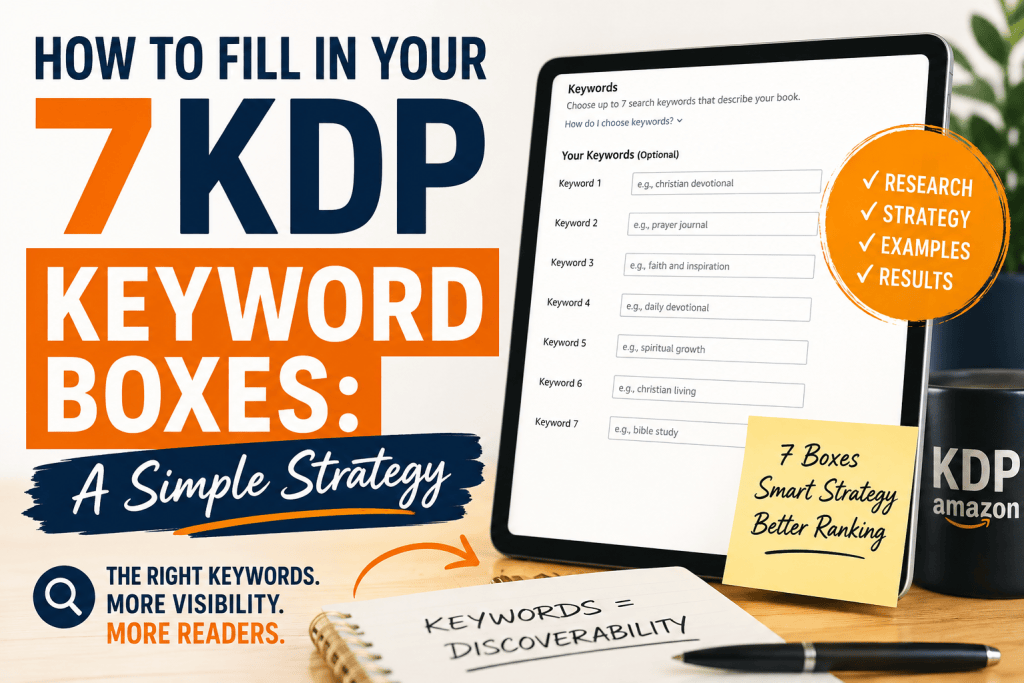
When you’re sitting inside your KDP dashboard looking at seven empty boxes, knowing that you should “use relevant keywords” doesn’t necessarily tell you what to put in Box 1, Box 2, Box 3, and the rest.
That’s where I approach it differently.
Over the years of writing and preparing books, I’ve learned that authors often think about keywords from the wrong direction. We describe our books using the language we use as authors.
Readers don’t always search that way.
A reader starts with a problem, a desire, a situation, a question, or a particular type of book they want.
So instead of thinking:
“What seven keywords describe my book?”
I ask:
“What seven different searches could bring the right reader to this book?”
That is the strategy I call the Seven Doors Method.
Each KDP keyword box becomes another door through which the right reader can discover your book.
My Seven Doors Method for Filling KDP Keyword Boxes
Your seven boxes do not have to follow this formula rigidly. Every book is different.
But this gives you a practical starting framework.
Box 1: The Core Buyer Search
Start with the most important search phrase that describes what your ideal reader is looking for.
Ask:
“If someone desperately wanted the solution my book provides, what might they type into Amazon?”
For a book about managing money, that might be:
personal finance for beginners
For a book about starting a business:
how to start a small business
For a Christian devotional:
daily Bible encouragement
For a romance novel:
second chance Christian romance
This is your strongest search door.
Don’t choose a vague word simply because it sounds important.
“Money” is vague.
“Personal finance for beginners” tells you much more about the reader.
Amazon itself recommends avoiding vague keywords and using phrases that accurately relate to the book.
Box 2: The Problem the Reader Wants to Solve
Now think about the problem behind the search.
What is frustrating your reader?
What question are they trying to answer?
What situation are they trying to escape?
For example, suppose you have written a book about overcoming financial stress.
Possible searches could include:
how to stop overspending
getting out of financial stress
how to manage money better
paycheck to paycheck help
Don’t simply repeat your main keyword.
You are opening another door.
Box 3: Who Is the Book For?
This is one of the most overlooked opportunities.
Ask:
“Who specifically would benefit from this book?”
Your audience might be:
- first time authors
- Christian women
- busy mothers
- new entrepreneurs
- small business owners
- young adults
- beginner investors
- pastors
- aspiring writers
- single parents
For example, a book teaching people how to publish could potentially have audience-related searches such as:
first time authors
aspiring self publishers
new independent authors
The important thing is that the audience must genuinely match the book.
Do not add “writers” simply because you want writers to buy the book.
The book must actually serve them.
Box 4: The Desired Outcome
Now ask:
“What result does the reader want?”
People don’t usually buy a book because they love the subject.
They buy it because they want something.
A book about budgeting might help readers:
save money every month
A writing book might help readers:
finish writing a book
A Christian book might help readers:
find peace during difficult times
A business book might help readers:
get more customers online
This is where you connect your book to the reader’s desired destination.
Box 5: The Use Case or Situation
This is one of my favorite keyword doors.
Think about when or why someone would need your book.
For example:
- bedtime prayers for worry
- Bible study for beginners
- devotional for busy women
- financial planning after divorce
- writing during a busy schedule
- business ideas from home
- gifts for new entrepreneurs
Notice what happens here.
We are no longer describing only the subject.
We are describing the situation in which the reader needs the book.
That can uncover searches you would never think of if you simply stared at your title.
Box 6: The Theme or Niche
Now go deeper into the subject.
What specific theme, subtopic or niche does your book cover?
Suppose your book is a Christian devotional about difficult seasons.
Possible themes could include:
spiritual strength during trials
faith during difficult seasons
Christian hope in hard times
Bible encouragement for suffering
The theme should be genuinely represented inside the book.
Don’t use a popular phrase simply because you think it will attract traffic.
Amazon specifically warns against keywords that misrepresent the book or are unrelated to its content.
Box 7: The Alternate Way Your Reader Might Say It
This final door is where you can capture another natural expression of the same idea.
Readers don’t all use the same vocabulary.
One person might search:
Christian encouragement
Another might search:
Bible verses for difficult times
Another might search:
faith and hope during trials
They may be looking for essentially the same type of book.
This is why you should not simply copy the language you used in your manuscript.
You need to understand reader language.
And that is something I have learned repeatedly from working on books: authors often describe their books using the language of the creator, while readers search using the language of the problem they are trying to solve.
That difference matters.
A Real Example: Let’s Fill All 7 Boxes
Let’s imagine we are publishing this fictional book:
Title: Finding Peace in Difficult Seasons
Subtitle: Biblical Prayers and Scriptures for Daily Encouragement
Now look at what is already visible.
The title already contains:
peace
difficult seasons
The subtitle already contains:
Biblical
prayers
Scriptures
daily
encouragement
So I would not simply waste keyword space repeating those words.
Instead, I would look for additional search doors.
For example:
| Box | Keyword phrase | Purpose |
|---|---|---|
| 1 | prayer for troubled heart | Core problem |
| 2 | Bible verses for hard times | Problem/search intent |
| 3 | Christian help during trials | Audience + need |
| 4 | spiritual strength during trials | Desired outcome |
| 5 | bedtime prayers for worry | Use case |
| 6 | faith and hope in suffering | Theme |
| 7 | devotional for stressful seasons | Alternate search |
These are example phrases, not guaranteed ranking keywords.
Before entering them, I would test each one on Amazon and examine what Amazon suggests and what kinds of books appear.
That’s important.
How to Find KDP Keywords Without Paying for a Keyword Tool
You don’t necessarily need an expensive keyword research platform to begin.
In fact, one of the first places I would go is the place where your readers are already searching:
Amazon.
1. Start With Amazon Autocomplete
Go to Amazon and start typing a phrase related to your book.
Don’t immediately press Enter.
Watch what Amazon suggests.
For example, if your book is about prayer, you might begin typing:
prayer for…
Then look at the suggestions Amazon gives you.
Try:
Bible verses for…
Christian prayers for…
devotional for…
prayer to overcome…
The suggestions can give you clues about how shoppers formulate searches.
Amazon itself recommends checking the search dropdown suggestions when researching keywords.
2. Study Competing Books — But Don’t Copy Them
Search for your book’s subject.
Open several books that appear relevant.
Study:
- their titles
- subtitles
- categories
- book descriptions
- recurring terminology
- the problems they emphasize
- the audience they appear to target
You are not looking for phrases to steal.
You are looking for patterns in reader language.
For example, if you are writing a book about self-publishing, you may discover that authors describe the subject as:
- self-publishing
- independent publishing
- first-time author
- book publishing
- publishing on Amazon
- authorpreneur
- publishing guide
Some of these may be useful.
Some may already be covered in your title.
Some may be too broad.
Your job is to identify the gaps.
3. Read Your Own Book Again
This sounds obvious, but it is surprisingly powerful.
Look through your:
- chapter titles
- subheadings
- introduction
- questions you answer
- problems you solve
- examples
- recurring themes
- audience descriptions
If your book has a chapter called:
How to Build an Emergency Fund
you might discover related reader language around:
emergency savings
saving for unexpected expenses
financial safety net
The manuscript itself contains a lot of keyword ideas.
4. Use the “Keyword Gap” Test
Before putting a phrase into a box, ask five questions:
1. Is it relevant?
If the answer is no, delete it.
2. Is it already clearly covered by my title or subtitle?
If yes, look for a better use of the space.
3. Is it already represented by my category?
If yes, consider another phrase.
4. Would my ideal reader realistically search this?
If you’re not sure, test it on Amazon.
5. Does the book actually satisfy the search?
If not, don’t use it.
This is much better than simply asking:
“Can I squeeze another keyword into this box?”
Don’t Make the “350 Character” Mistake
Remember:
7 boxes × 50 characters = 350 possible characters.
That does not mean you should write a giant string of disconnected words.
For example, don’t do something like:
prayer Christian Bible faith peace devotional book God anxiety healing spiritual warfare
That is not a thoughtful keyword strategy.
Instead, use natural phrases that represent meaningful search intentions.
Amazon recommends combining keywords in logical order and warns against misleading or irrelevant metadata.
Think:
search phrase
not:
keyword soup.
Should You Repeat Words Between Boxes?
This is where things become a little more nuanced.
You don’t want to waste your limited keyword space on seven nearly identical phrases.
For example:
- Christian prayer book
- Christian prayer books
- Christian prayers
- prayer book Christian
- Christian prayer guide
That is not seven different opportunities.
It is essentially one idea repeated several times.
Amazon specifically advises avoiding variants based only on spacing, punctuation, capitalization and pluralization.
Instead, use your boxes to cover different dimensions of your book.
Think:
problem → audience → outcome → situation → theme → alternate language
That’s far more useful.
What About Long-Tail Keywords?
Long-tail keywords are simply more specific search phrases.
For example:
finance
is broad.
personal finance for beginners
is more specific.
personal finance for young adults
is even more targeted.
The advantage is not that long keywords magically rank.
The advantage is that they can communicate more specific search intent.
Current KDP guidance from Amazon emphasizes relevant phrases, while Reedsy’s 2026 research also recommends long-tail phrases and Amazon autocomplete as part of the research process.
But don’t make every phrase ridiculously long.
The phrase should still sound like something a reader could reasonably search.
Don’t Chase Search Volume at the Expense of Relevance
This is another mistake I see.
Suppose you discover a popular search term.
You think:
“This has lots of searches. I need to put it in my book.”
Stop.
Ask:
“If someone searched this and Amazon showed them my book, would they be happy with what they found?”
If the answer is no, don’t use it.
Amazon explicitly says keywords should accurately portray your book and warns against unrelated or misleading terms.
A smaller but highly relevant audience can be much more valuable than a large audience looking for something completely different.
What KDP Keywords Should You Avoid?
This part is important.
Don’t use keywords simply because you think they might bring traffic.
Amazon specifically advises against several types of keyword entries, including information already contained elsewhere in your metadata, subjective quality claims, time-sensitive claims, generic category terms, spelling errors, misleading information, unauthorized brands, Amazon program names and HTML tags.
Avoid things such as:
best book ever
bestseller
free book
Kindle Unlimited
KDP
Amazon
buy now
cheap book
#1 author
and competitor author or book names that are not legitimately associated with your book.
Don’t try to trick Amazon.
Your goal is not to manipulate the system.
Your goal is to help Amazon understand exactly what your book is about and which readers should see it.
What About Your Book Categories?
Don’t treat keywords and categories as completely separate jobs.
They work together.
Amazon describes categories as digital shelves and says categories and keywords help tell Amazon where a book belongs. Amazon currently allows authors to select three categories during setup.
This means you should look at your book’s metadata as one complete system:
Title → Subtitle → Description → Categories → Keywords
Each part should reinforce the same subject.
If your book is clearly a Christian devotional, your categories and keywords should support that.
If your book is a memoir, your metadata should communicate memoir-related relevance.
If your book teaches small-business owners how to build websites, don’t fill your keyword boxes with unrelated high-traffic technology terms.
Consistency matters.
A Useful Strategy for Nigerian Authors
If you are publishing from Nigeria, there is one important mindset shift I want you to make.
Don’t automatically assume your keywords should target Nigeria.
Your physical location as the author and the location of your target reader are two different things.
If you are sitting in Lagos writing a book for American readers, your keyword research should reflect the language American readers use.
For example, if your book is specifically about starting a business in Nigeria, then terms relating to Nigeria may be extremely relevant.
But if you have written a general book about personal finance for Americans, adding “Nigeria” simply because you live in Nigeria would make little sense.
Research your reader’s language, not your own location.
That principle applies whether you are publishing from Lagos, London, New York or anywhere else.
Don’t Expect Keywords Alone to Make Your Book Sell
This is important because there is a lot of exaggerated advice online.
Keywords can improve discoverability, but they are not a magic button.
Amazon itself says relevant keywords can help book placement alongside other factors such as sales history and Best Sellers Rank.
Think about it.
Suppose your book appears in a search.
A reader sees:
- your cover
- title
- subtitle
- price
- description
- reviews
- rating
They decide whether to click.
Then they decide whether to buy.
So you can have excellent keywords and still have poor sales if your cover, positioning, description or book itself doesn’t convince the reader.
That’s why I always tell authors:
Keywords get you into the conversation. Your book page has to continue the conversation.
What I Would Do After Publishing
I wouldn’t change my keywords every few days just because I’m nervous.
Give your metadata time to work.
Then look for signals.
If you run Amazon Ads, your advertising search-term data can provide useful clues about the language shoppers actually use.
You can also:
- repeat Amazon autocomplete research
- examine competing books
- monitor sales patterns
- review your categories
- identify new reader language
- test stronger phrases
- remove weak or irrelevant terms
KDP allows authors to update keywords after publication.
The key is to make intentional changes, not constant random changes.
I recommend keeping a simple record of your keyword versions.
For example:
Version 1 — Launch
Box 1: …
Box 2: …
Box 3: …
Then, after you have enough information to make a sensible decision:
Version 2 — Updated
Box 1: …
That way you know what you changed.
My 10-Minute KDP Keyword Workflow
If you are sitting in front of your KDP dashboard right now, here’s exactly what I would do.
Minute 1–2: Define the reader
Write down:
Who is this book for?
Minute 3: Define the problem
What problem brought this reader to Amazon?
Minute 4: Define the desired outcome
What does the reader hope to achieve?
Minute 5: Check Amazon autocomplete
Type your main ideas into Amazon and record useful suggestions.
Minute 6: Check competing books
Look for recurring language.
Minute 7: Write 15–20 possible phrases
Don’t worry about choosing the final seven yet.
Minute 8: Remove duplicates
Delete phrases that merely repeat your title, subtitle or each other.
Minute 9: Remove risky phrases
Delete misleading, promotional, generic or irrelevant terms.
Minute 10: Choose your seven strongest search doors
Now fill your KDP boxes.
That’s it.
You don’t need to make this mysterious.
My Final 7-Box Checklist
Before clicking Publish, ask:
Box 1: What is the strongest buyer search?
Box 2: What problem does the book solve?
Box 3: Who is the book specifically for?
Box 4: What result does the reader want?
Box 5: In what situation might they need this book?
Box 6: What specific theme or niche does it cover?
Box 7: What other natural language could the same reader use?
Then ask one final question:
“If a reader searched this phrase and found my book, would they be glad they did?”
If the answer is yes, you’re probably on the right track.
One More Thing: Don’t Forget the Rest of Your Amazon Metadata
Your seven keyword boxes are important, but they are only one part of publishing a professional book.
Your title, subtitle, categories, description, cover, manuscript quality and overall positioning all matter.
If you are still working through the actual KDP publishing process, I have put together a detailed guide covering different book types, including Christian books, devotionals, business books, novels, memoirs and general nonfiction. You can read the complete guide to publishing a book on Amazon before you submit your book.
And if you are deciding what your book may cost to produce, my self-publishing cost guide can help you build a realistic budget.
If you’re publishing from Nigeria, you may also find my guide to self-publishing costs in Nigeria useful.
Final Thoughts
The biggest mistake you can make with KDP keywords is treating the seven boxes as seven empty spaces that need to be filled.
They are not.
They are seven opportunities to tell Amazon something useful about your book.
One box can describe the reader’s problem.
Another can describe the audience.
Another can describe the desired outcome.
Another can describe the situation.
Another can capture a specific theme.
Another can capture an alternate way of searching.
And the strongest can target the central buyer intent.
That is the approach I recommend because it forces you to stop thinking like an author trying to describe a book and start thinking like the person who is actually looking for one.
And that is the real secret:
Don’t ask, “What keywords describe my book?”
Ask:
“What would my reader type into Amazon if they needed exactly what my book provides?”
Once you answer that question honestly, those seven boxes become much easier to fill.
Need Help Publishing Your Book?
If you already have your manuscript but don’t want to struggle through formatting, publishing setup, metadata and the technical side of getting your book ready for readers, our book publishing service can help you move from manuscript to professionally prepared book.
And if you’re building an author brand, don’t overlook your website. A professional author website gives readers a place to discover your books, learn about you and connect with you outside Amazon. Read Why Every Author Needs a Professional Website to see why it matters.
You can also contact Creativity Publications if you would like help with your book or author website.

Olayinka Joseph is the founder, editor and lead practitioner behind Creativity Publications. He is a writer, publisher, web designer and digital publishing professional with a B.Sc. in Computer Science and postgraduate studies in Information Technology. His practical work spans book publishing, manuscript preparation, WordPress web design, SEO and digital content. He also writes beginner-friendly guides on web design, artificial intelligence and book publishing, drawing from his hands-on experience to help readers make informed decisions.

